
Enable data roaming on iPhone and Android
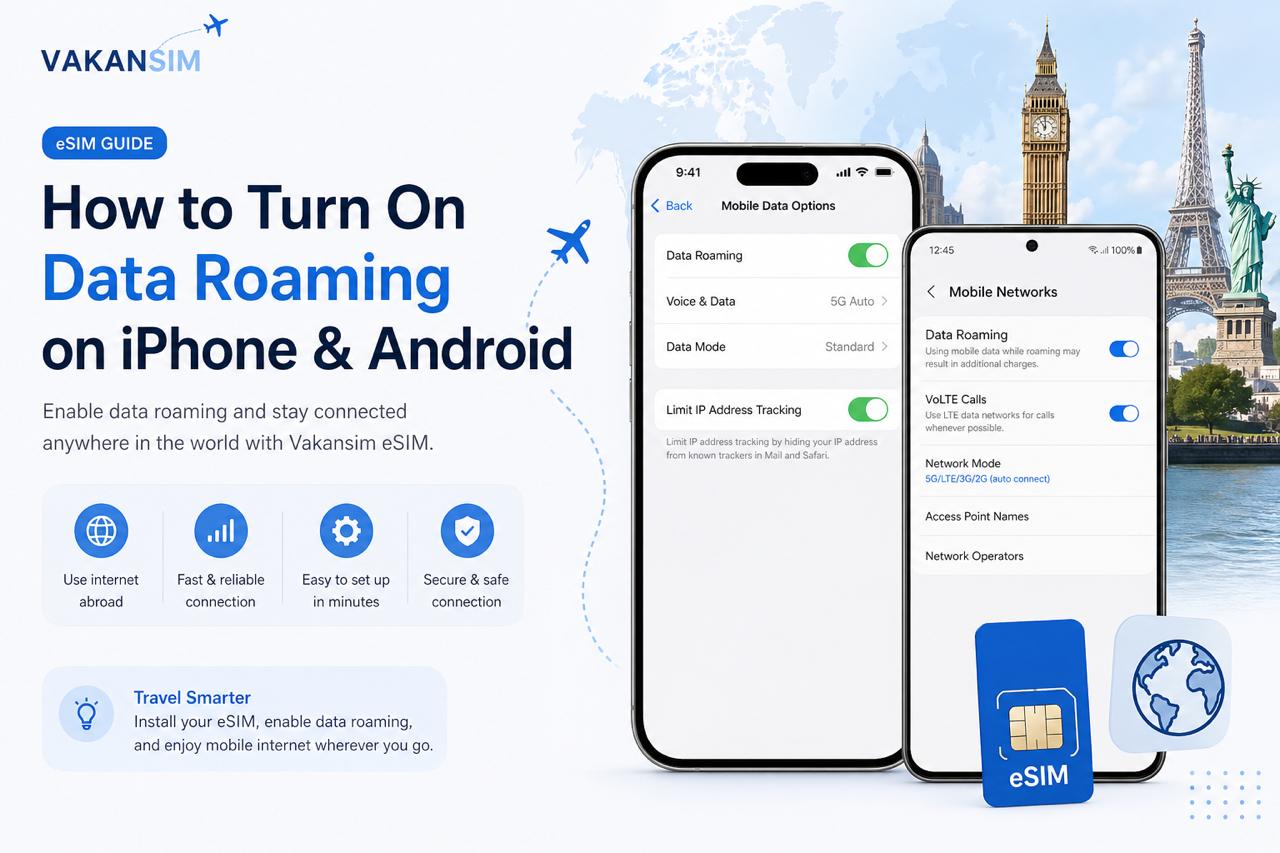
When using your Vakansim eSIM abroad, you may need to turn on Mobile Data Roaming to connect to the local network and use the internet.
This guide shows you how to enable roaming on both iPhone and Android devices.
What is Data Roaming?
Data roaming allows your phone to use mobile internet when you are connected to a network outside your home country or regular mobile provider.
With a Vakansim eSIM, roaming must usually be enabled so your phone can connect to the supported partner network.
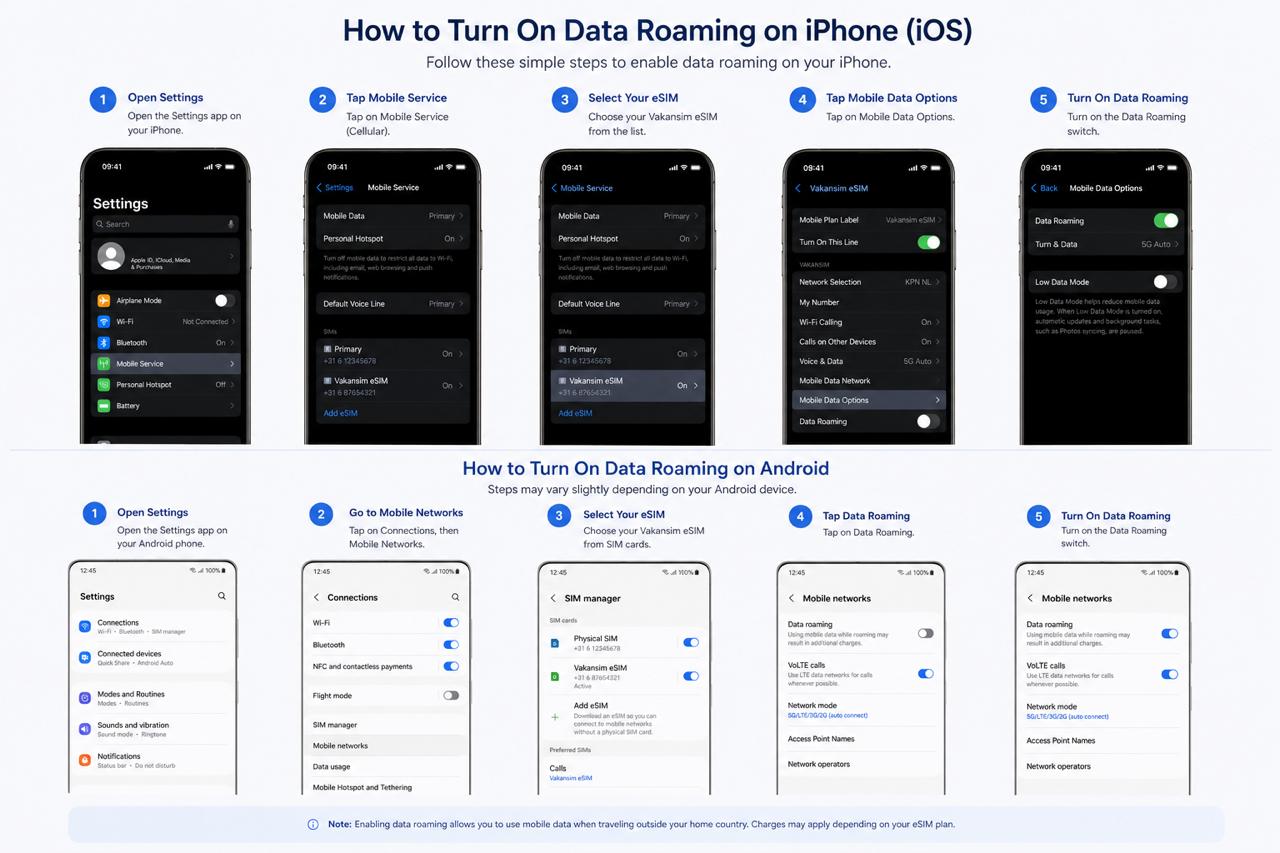
How to Turn On Data Roaming on iPhone
Follow these steps:
- Open Settings
- Tap Mobile Service or Cellular
- Select your Vakansim eSIM
- Tap Mobile Data Options
- Turn on Data Roaming
Make sure your Vakansim eSIM is selected for mobile data.
How to Turn On Data Roaming on Android
The steps may be slightly different depending on your phone brand.
- Open Settings
- Tap Network & Internet or Connections
- Select SIMs or Mobile Networks
- Choose your Vakansim eSIM
- Turn on Data Roaming
On Samsung phones, you can usually find it here:
Settings → Connections → Mobile Networks → Data Roaming
Important Tips
Before using your eSIM, check the following:
- Your Vakansim eSIM is installed correctly
- Mobile data is turned on
- Data roaming is enabled
- The correct eSIM is selected for mobile data
- Airplane mode is turned off
Still Not Connected?
Try these quick fixes:
- Restart your phone
- Turn airplane mode on and off
- Select the network manually
- Make sure your eSIM plan is active
- Check that you are in a supported country